

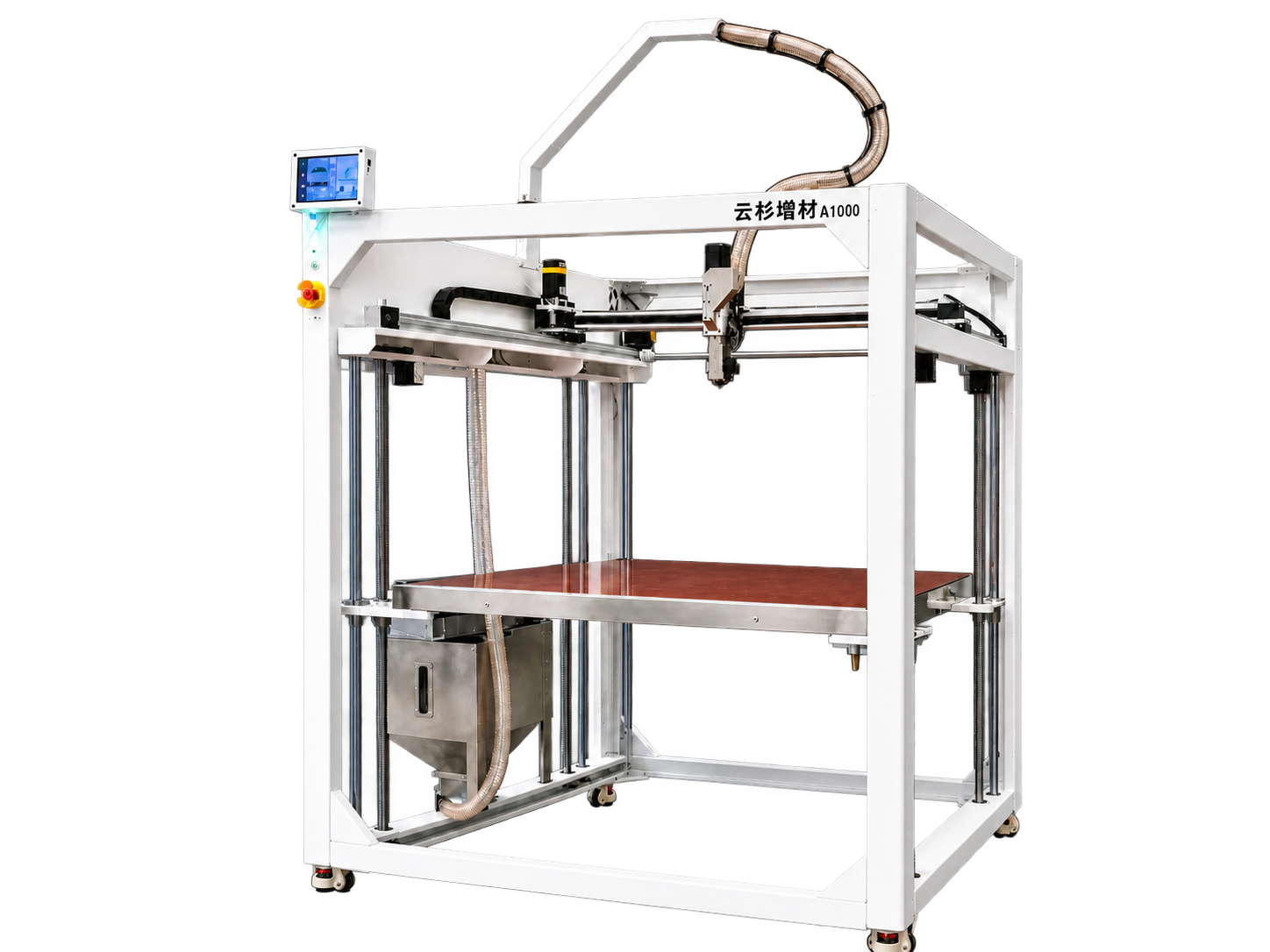
设备显示屏Machine screen
现场操作打印、温控、颗粒上料、校准、文件与设备维护。Operate printing, temperature, pellet feeding, calibration, files and maintenance at the machine.
设备 · 云端 · 用户协作MACHINE · CLOUD · USER
一套云智控,连接设备本机、局域网 WebUI 与手机远程入口。现场任务由设备本地执行,远程查看、AI 辅助检测和授权支持按配置与状态协作。One Cloud Control system connects the machine, local-network WebUI and mobile access. Print jobs run locally; remote viewing, AI assistance and authorized support work together according to configuration and machine status.
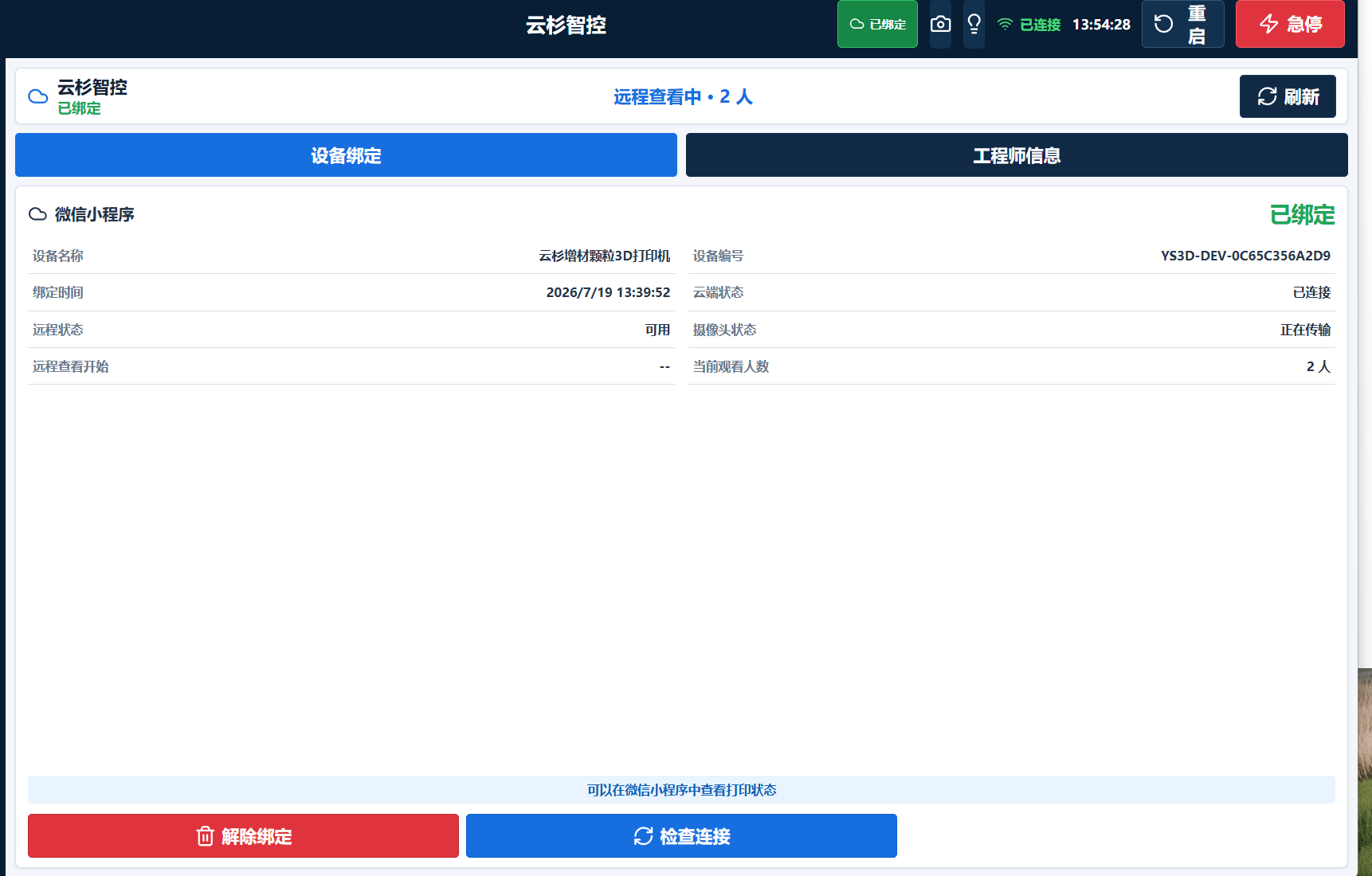
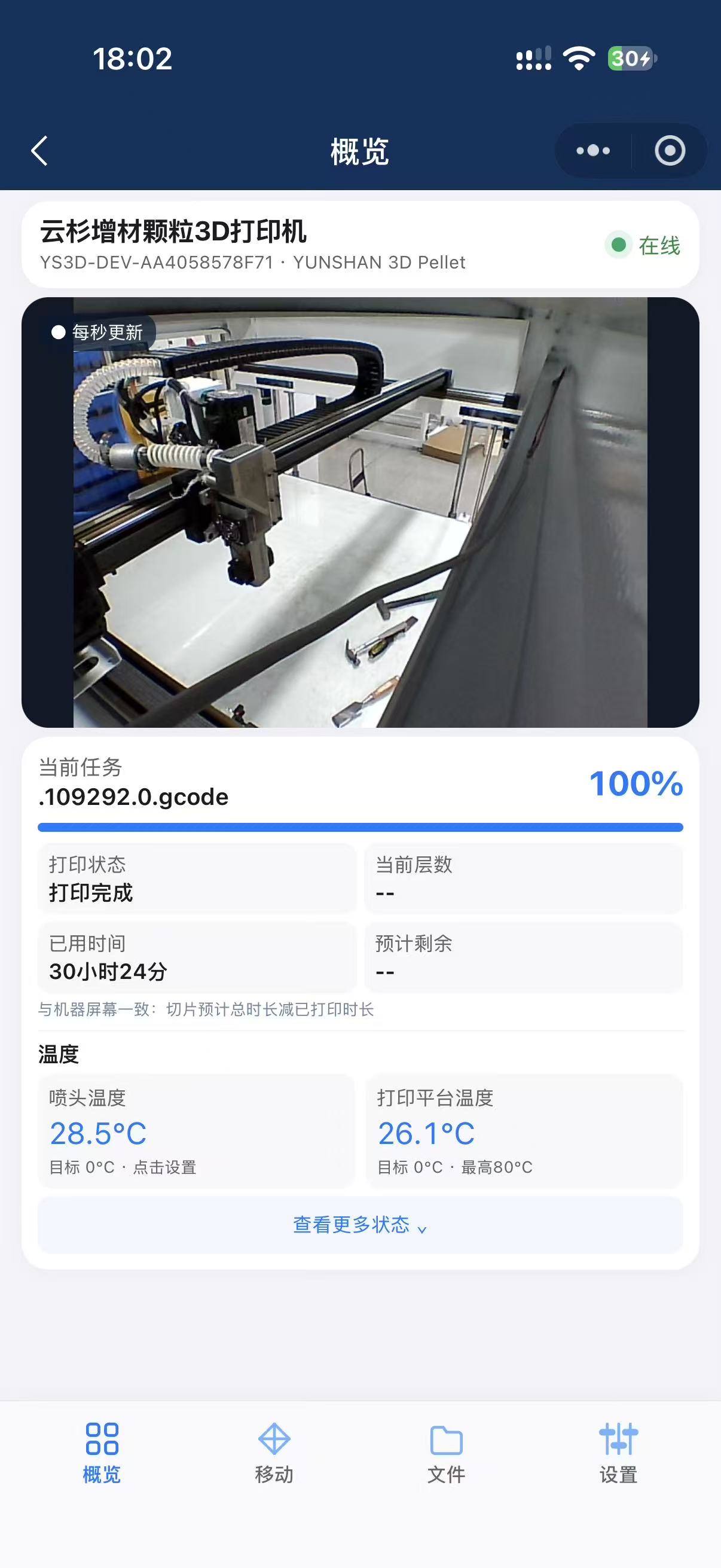 界面示意 · 测试数据Interface preview · Test data
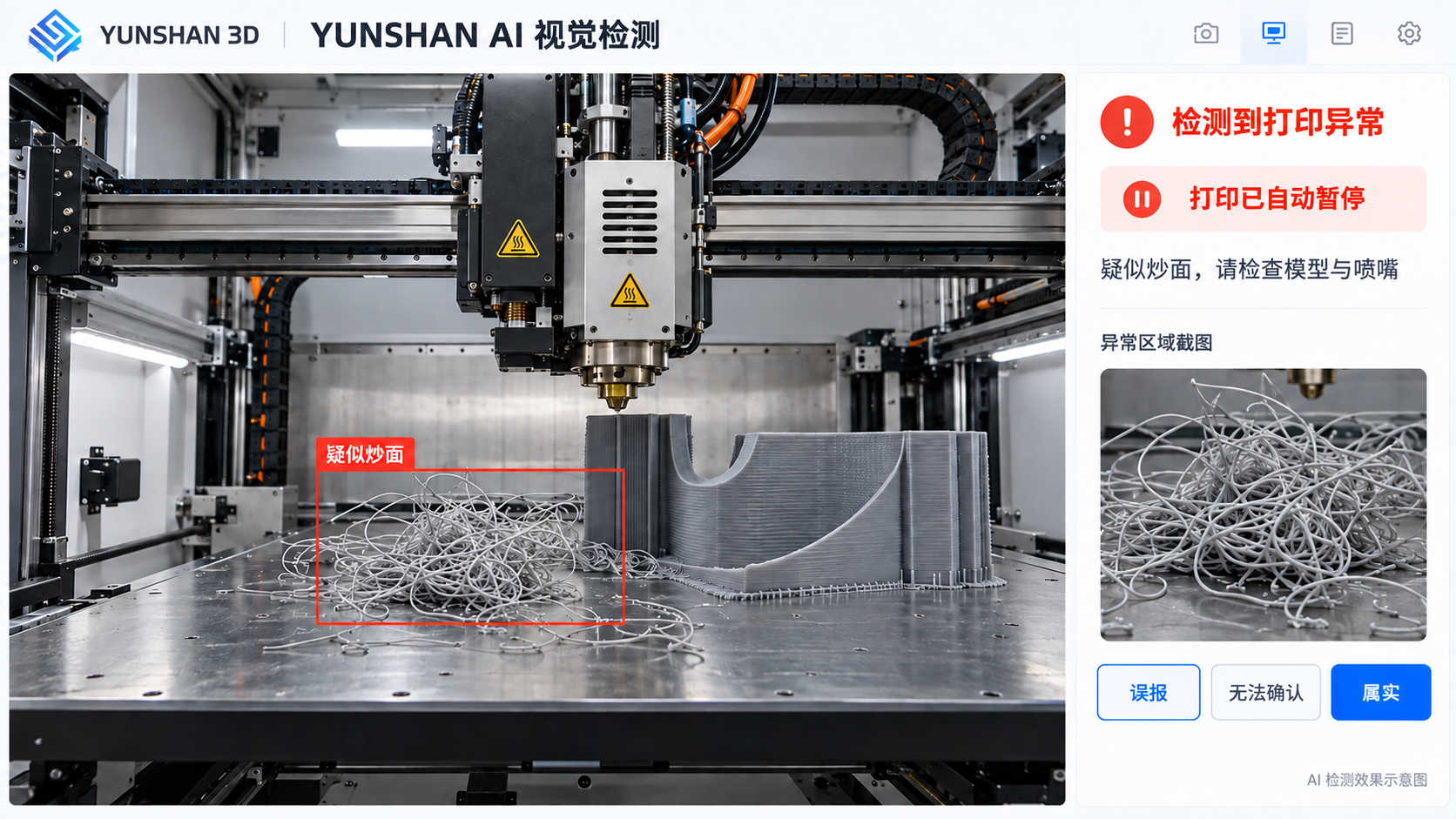
设备本地执行打印;云端连接状态与授权;手机和 WebUI 帮助用户远程查看和处理疑似异常。Printing runs on the machine. The cloud connects status and authorization, while mobile access and WebUI support remote review of suspected anomalies.
示意流程。实际功能取决于机型、摄像头、网络、软件版本、用户设置与设备状态;AI 可能误报或漏检,远程能力不能代替现场安全检查。Illustrative workflow. Features depend on machine, camera, network, software version, user settings and machine status. AI may raise false alarms or miss anomalies; remote features do not replace on-site safety checks.
ONE SYSTEM · THREE ENTRY POINTS
现场操作打印、温控、颗粒上料、校准、文件与设备维护。Operate printing, temperature, pellet feeding, calibration, files and maintenance at the machine.
在现场网络内查看设备状态与控制界面,协助工程师完成配置和诊断。View status and controls on the site network to assist engineers with configuration and diagnostics.
通过已授权的设备绑定查看任务、温度和按需摄像画面,在条件允许时执行远程操作。View jobs, temperatures and on-demand camera images for authorized, bound machines, with remote actions where supported.
集中查看温度、任务进度、坐标和设备状态。View temperatures, job progress, coordinates and machine status together.
管理喷嘴、热床、料仓和上料流程。Manage nozzle, heated bed, hopper and feeding workflows.
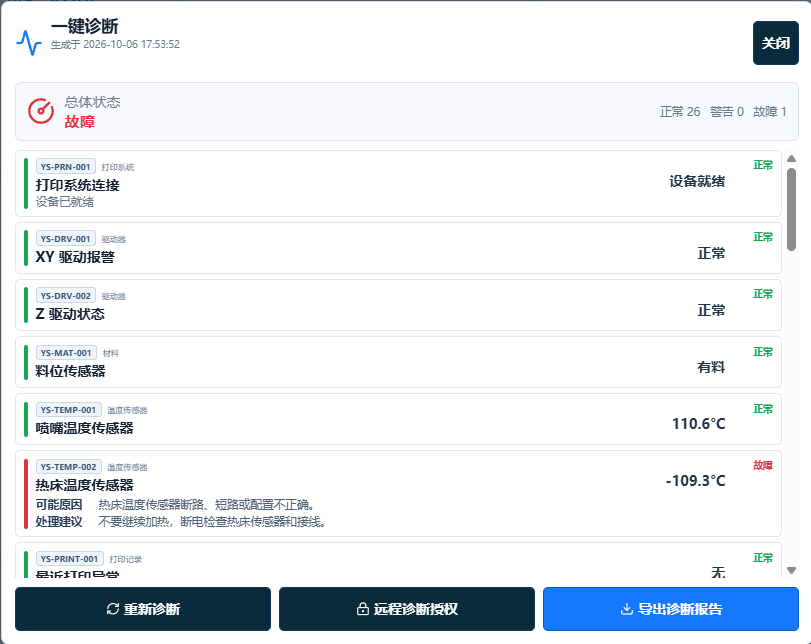
提供四 Z、网床、Z 限位、PID、诊断和启动自检等工程入口。Access quad-Z adjustment, bed mesh, Z endstop, PID tuning, diagnostics and startup self-checks.
按实际设备版本提供签名升级、恢复点和回滚流程。Signed updates, restore points and rollback workflows depend on the installed machine version.
集中查看多台已绑定设备的运行状态、打印进度与任务信息,便于农场统筹管理。View operating status, print progress and job information across multiple bound machines for coordinated farm management.
查看已绑定设备、打印进度、温度及按需摄像画面。View bound machines, print progress, temperatures and on-demand camera images.
暂停、继续或取消等指令依赖用户权限、设备状态和网络连接。Pause, resume and cancel commands depend on user permissions, machine status and network connection.
启用相应配置后,由云端大模型辅助分析打印画面,记录疑似异常图片,并按设置提醒或尝试自动暂停。With the required configuration enabled, a cloud AI model helps analyze print images and record suspected anomalies, with alerts or attempted pauses according to settings.
用户主动限时授权后,工程师可协助定位问题。Engineers can help diagnose issues after the user grants time-limited authorization.
摄像画面按需查看与 AI 定时采集是不同流程。云连接临时中断本身不会停止设备本地正在执行的打印任务;远程能力不能代替现场安全检查。On-demand camera viewing and scheduled AI capture are separate workflows. A temporary cloud disconnection alone does not stop a locally running print job. Remote features do not replace on-site safety checks.
手机端:远程查看画面、任务与温度Mobile: camera, print job and temperatures
清晰查看摄像画面、打印进度与温度状态。View the camera feed, printing progress and temperature status.
放大查看完整界面View full-size interface ↗界面用于展示产品功能,实际布局、设备状态与可用功能以交付版本及设备配置为准。Screens illustrate product features. Actual layouts, machine status and available functions depend on the delivered version and configuration.
告诉我们设备型号、现场网络与团队使用方式,确认适用功能。Share your machine model, site network and team workflow to confirm available features.